What is a 3D Printer?
A machine that creates a three dimensional object from a digital file by stacking thin layers of material layer by layer. Please note, 3D printing is not a quick process. 3D prints typically take multiple hours.
Equipment in Creative Experience
• 6 Bambu Lab X1-Carbon Combo 3D Printers at Barr Library’s Creative Experience
• 4 Bambu Lab X1-Carbon Combo 3D Printers at Central Library’s Creative Experience
What you’ll need
• You will need a 3D file to begin 3D printing
Acceptable File Types
• stl, obj, 3mf
Printing Dimensions
• Maximum print size is 10” x 10” x 10”
Material
• PLA filament
• Creative Experience does not allow the use of outside filament
Color Options
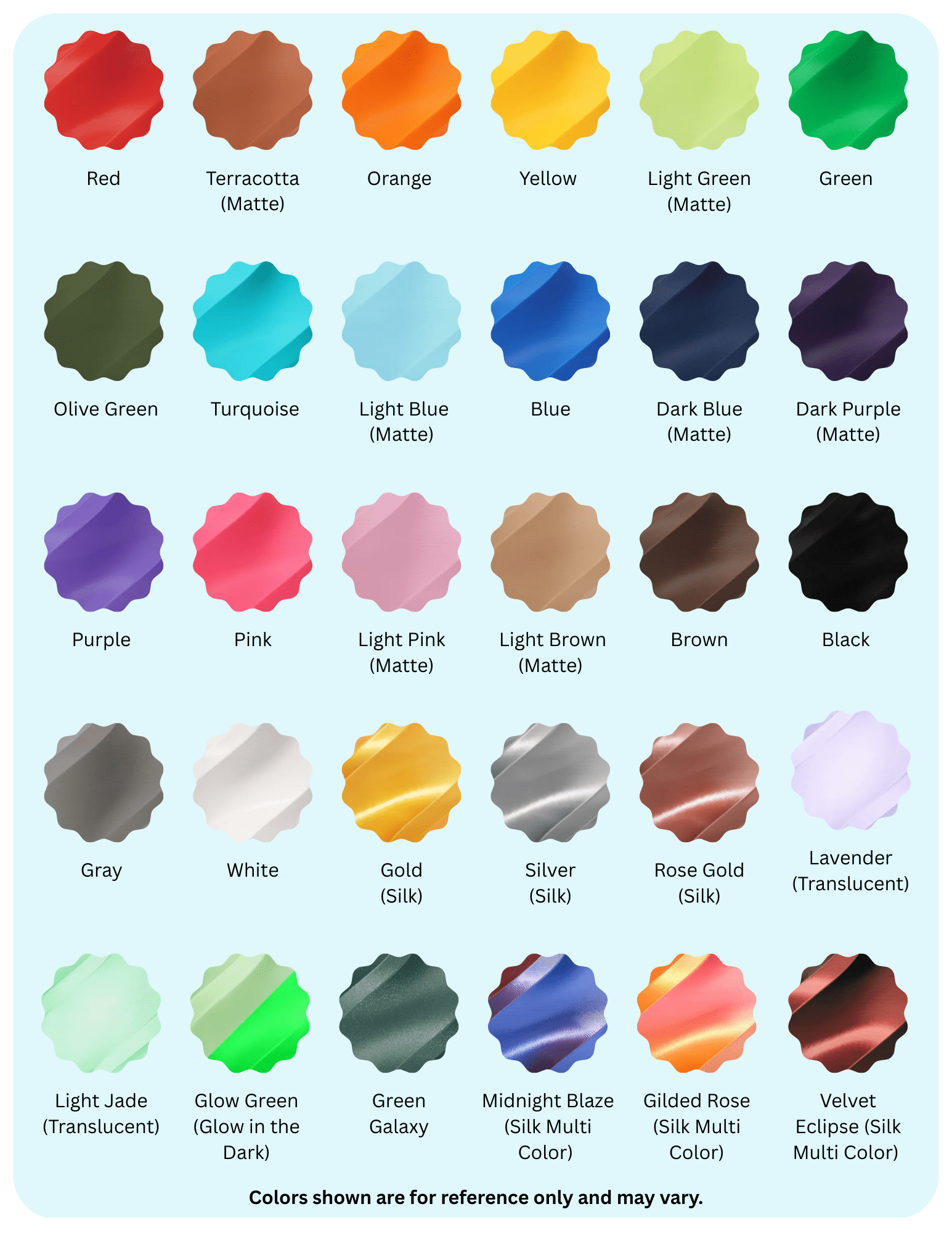
• Choose from over 30 filament colors
• View samples of all available colors here. Please note: colors are shown for reference only and may vary.
• With the Bambu 3D printers, you can use up to 4 colors of filament in one project. To do this, you must visit one of our Creative Experience locations to customize your design.
Cost
• $1 for every 50 grams of filament with a minimum charge of $1 per print
• Charges are rounded to the nearest dollar
• Items will not be printed until the cost is confirmed and the funds are available on your Library card
• You can use your free monthly print credit towards 3D prints
• We do not charge for failed print
How to Get Started
• Visit a Creative Experience location or
• Submit your 3D files to be printed using our online form
Things to Know
• 3D print submissions are limited to 24 hours per job
• You will be notified by email or phone when your item is ready for pick up
• Completed items will be held for 14 days
• Staff reserves the right to deny any print job that violates the Library’s Technology Use Policy
Resources
• Tinkercad: Explore this free, easy-to-use web app for 3D design
• Thingiverse: Browse thousands of free 3D designs you can download and print.
• SketchUp: Useful for 3D modeling, including prototyping
• Blender: Free and open source 3D creation software
• LinkedIn Learning: Explore over 16,000 video courses on topics including 3D modeling. To get started, login with your SLPL card number and PIN.
Need help getting started?
Check out our events calendar for upcoming Creative Experience programs or schedule a one-on-one Tech Connect appointment.